Excel vs CRM : comprendre les différences pour mieux gérer vos ventes


Excel vs CRM
Wasted time with Excel vs a CRM
Initially, managing your prospects in an Excel file or a Google Sheet may seem simple and fast. However, this method is quickly becoming time consuming. According to several studies, sales teams spend an average of 3.4 hours per week entering or updating data in spreadsheets, which is approximately 550 hours lost per year for a team using spreadsheets to manage their prospects and opportunities.
In addition, there is the time spent on manual tasks: updating the status of an opportunity, monitoring communications, creating reminders, or managing the versions of the shared file. Conversely, a CRM automates many of these actions. Businesses that adopt a CRM generally save 4-5 hours per week per user by automating follow-ups, centralizing data, and eliminating duplicate work. In concrete terms, this means that teams spend less time managing files and more time doing what really generates revenue: talking to prospects and closing sales.
More efficiency with fewer resources
A CRM is not only used to store contacts: it transforms data into concrete actions. Unlike a static Excel file, a CRM makes it possible to centralize all customer interactions (emails, calls, notes, meetings) and to visualize the progress of opportunities in a clear and dynamic pipeline.
This centralization improves team collaboration and efficiency. Each member can see updates in real time, assign tasks or schedule follow-ups, avoiding duplication and information loss often caused by shared files.
Thanks to automation, for example the sending of reminders, the nurturing of leads or the automatic progression of opportunities, a CRM greatly reduces administrative tasks. Some organizations are seeing a reduction in administrative tasks of up to 80%, allowing teams to spend more time on income-generating activities.
In practice, this means that a business can manage more opportunities and customers with the same resources, simply by working in a more structured and efficient manner.
The real cost: Excel is not really free
At first glance, Excel seems to be the most economical option since it is already one of the tools that most businesses have. However, this zero cost is deceptive. Lost time from manual tasks, data errors, and missed opportunities can quickly become a significant cost to the business.
Businesses that adopt a CRM generally see an average return on investment of over $8 for every dollar invested, thanks to better productivity, more accurate sales forecasts, and more effective management of opportunities.
In addition, a CRM like HubSpot makes it possible to go far beyond lead management: database segmentation, personalized marketing campaigns, marketing performance monitoring and revenue attribution according to initiatives. For businesses that want to grow, CRM is therefore becoming a strategic tool that turns a simple database into a real growth engine.
The limit of spreadsheets when the business starts to grow
Spreadsheets generally work well when a business manages a few dozen contacts. However, when the database reaches several hundred or thousands of leads, Excel quickly becomes difficult to maintain. Information is multiplying, columns are piling up and it is becoming complex to follow the evolution of opportunities in a clear manner.
In an Excel file, each new piece of information, a call, an email, a note, or a change in status, must be entered manually. This increases the chances of human error, duplicate data, or missing information. In the long run, these issues can have a direct impact on sales, as teams can lose opportunities simply because they didn't follow up or information wasn't up to date. A CRM, on the other hand, is designed to evolve with the business. It allows you to structure data, automate certain actions, and maintain a clean and organized database, even when the volume of prospects increases considerably.
A CRM like HubSpot
Faster and more effective follow-ups
In sales, the speed of response is a determining factor. Studies show that contacting a prospect in 5 minutes after your request increases the chances of conversion up to 100 times compared to a contact made 30 minutes later.
With an Excel file, teams have to manually check new leads and plan follow-ups themselves. This often creates delays, especially when multiple people are working on the same leads.
A CRM like HubSpot makes it possible to automate these processes. For example, when a prospect fills out a form on a website, the system can automatically:
- create a contact in the database
- assign the lead to a representative according to predefined rules
- send an automatic follow-up email
- schedule a reminder task in the sales pipeline
Thanks to HubSpot's automated workflows and integrated forms, businesses can respond to leads much more quickly, significantly increasing the chances of conversion.
A much simpler collaboration
In many companies, Excel files circulate by email or are shared in a common folder. This often creates version and update issues.
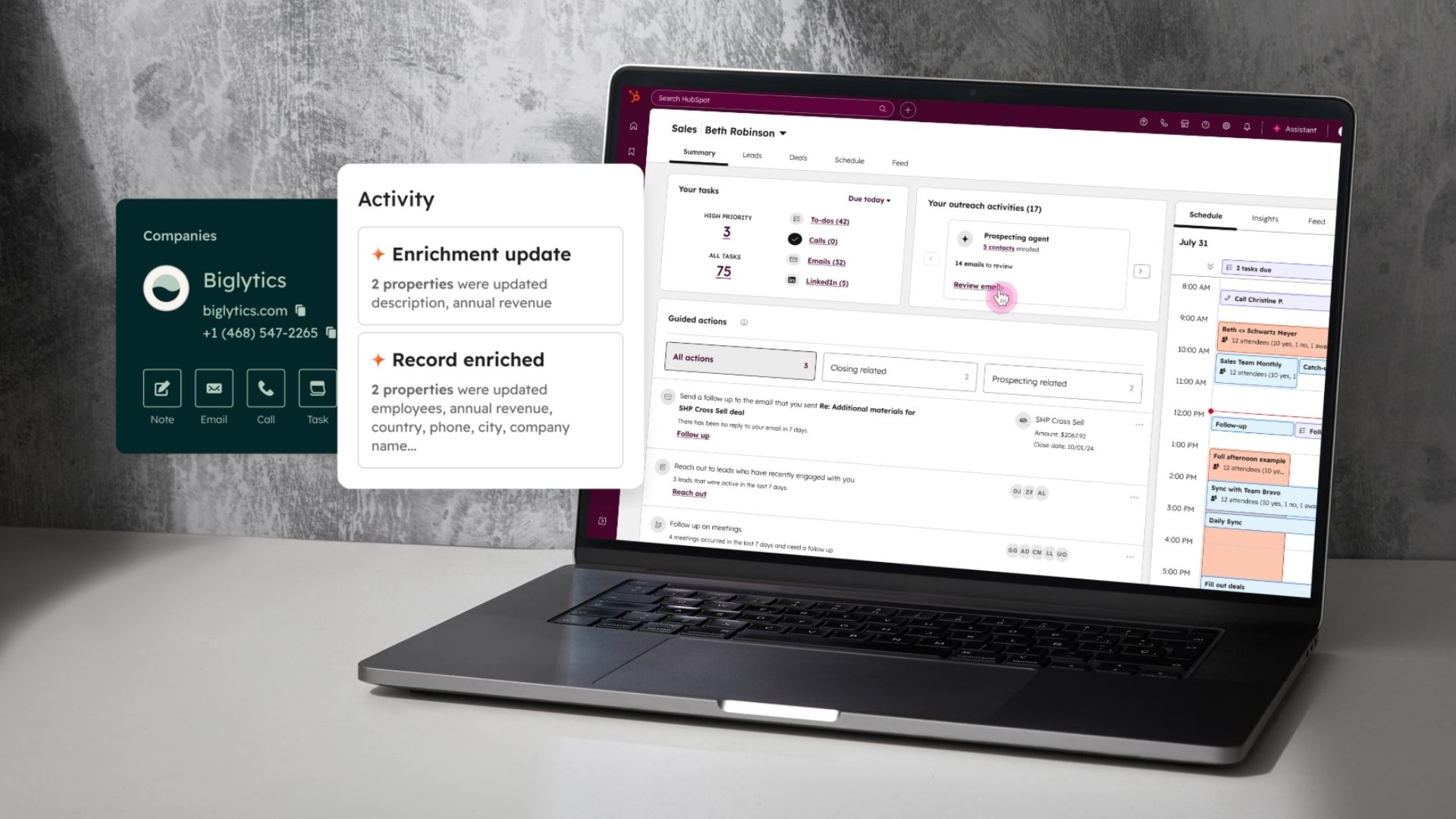
With a CRM like HubSpot, the whole team works in the same platform in real time. Sales, marketing, and executive teams can see contact, business, and opportunity information all in one place. Each contact sheet in HubSpot includes the complete history of interactions: emails sent, calls, scheduled meetings, internal notes, and marketing activities. This centralized view of the customer allows all team members to stay aligned and avoid information loss.
Better management of follow-ups
Lost opportunities are often linked to forgotten follow-ups. In an Excel file, you have to manually think about scheduling each reminder.
With a CRM like HubSpot, representatives can automate these follow-ups directly in their sales pipeline. For example, the platform allows:
- to create automatic follow-up tasks
- to send automated email sequences
- to set reminders for calls or meetings
- to monitor the progress of opportunities in a visual pipeline
These features allow sales teams to stay organized and ensure that no leads fall through the cracks.
Data-based decisions
CRMs allow you to quickly generate reports on sales performance: conversion rate, average value of opportunities, length of the sales cycle, etc.
With Excel, these analyses often have to be built manually and are rarely updated in real time. Conversely, a CRM like HubSpot offers dashboards and automated reports that allow you to monitor sales performance on an ongoing basis.
Managers can thus visualize:
- opportunities in the pipeline
- Revenues generated by period
- The performance of the representatives
- The effectiveness of marketing campaigns
This data allows businesses to make decisions that are more strategic and based on concrete data, rather than manual estimates or reports.
Discover how Accentiv is transforming the reality of its operations in our case study.
Excel or CRM: a strategic choice for growth
Excel can be a good starting point for managing a few contacts and opportunities. However, as the business grows, its limitations quickly become obvious: manual processes, lack of visibility, difficulty in collaboration, and forgotten follow-up risks.
A CRM like HubSpot transforms this management into a structured and dynamic system. Businesses can centralize their data, automate follow-ups, monitor the evolution of opportunities in real time, and exploit their database to generate more revenue. Instead of simply storing information in a file, CRM makes it possible to activate this data to improve sales, marketing, and customer experience.
In the end, the difference between Excel and a CRM is not only technological, it is strategic. Excel is used to organize data. A CRM is used to make a business grow.